Docs
Private Campaigns
Distribute rewards privately with confidential campaign configurations
Private campaigns are campaigns where the configuration and rules are hidden from public view. Only authenticated users (such as the campaign creator or specifically authorized addresses) can access campaign details. This feature is particularly useful for confidential airdrops, private payments, or any distribution where discretion is required.
Merkl processes substantial transaction volume across hundreds of tokens and campaigns. Private campaigns are mixed among all other public campaigns flowing through the same Distributor contract, creating a large anonymity set. This statistical diversity makes it computationally difficult to correlate specific deposits with individual claims or transfers, providing strong privacy guarantees for your distributions.
Why Use Private Campaigns?
Private campaigns offer several key benefits:
- Confidentiality: Campaign parameters, distribution rules, and eligibility criteria remain hidden from the public
- Flexible Access Control: Granular control over who can view campaign details: grant access to specific addresses, auditors, regulatory bodies, or third-party partners while keeping the campaign private from the general public
- Compliance & Auditing: Enable authorized auditors or compliance officers to review campaign parameters without making the information publicly visible
- Price Volatility Protection: With a private campaigns for liquidity deals, price volatility of the reward token is absorbed by the recipient rather than by the entity distributing the incentives since the rewards are streamed in real time rather than being distributed at the end of the campaign.
Creating a Private Campaign
Using Campaign Templates
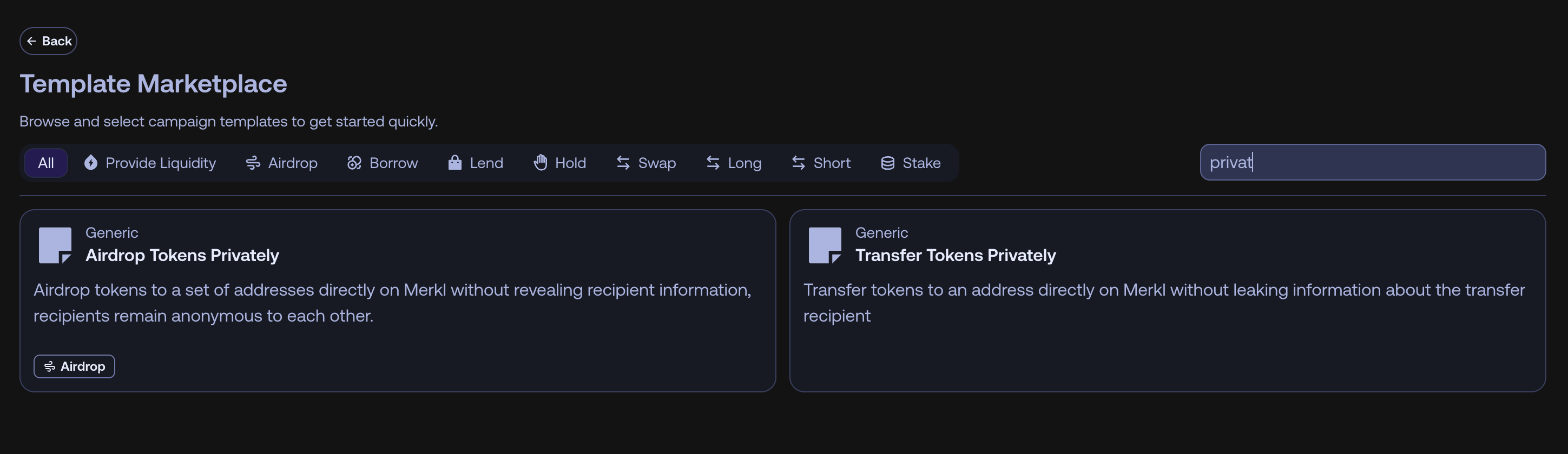
The easiest way to create a private campaign is to use the dedicated private campaign templates available in Merkl Studio. These templates automatically include the privacy configuration, so you don't need to manually configure the privacy settings.
Manual Configuration
For a comprehensive understanding of campaign configurations, refer to the Campaign Configuration page.
To manually add privacy to any campaign configuration, include the privacy option in your campaign config:
{
  "options": {
    "privacy": {
      "optionKey": "privacy",
      "recipientsCanView": true,
      "creatorCanView": true,
      "authorizedAddresses": [
        {
          "address": "0x1234567890AbcdEF1234567890aBcdef12345678",
          "canManageAccess": true
        },
        {
          "address": "0xABcdEFABcdEFabcdEfAbCdefabcdeFABcDEFabCD",
          "canManageAccess": false
        }
      ]
    }
  }
}
Configuration Parameters
recipientsCanView (boolean):
true: Recipients can view the campaign details relevant to their allocationfalse: Only the creator and authorized addresses can view any campaign information
creatorCanView (boolean):
true: The creator can view the campaign. This access is built in and does not depend onauthorizedAddresses(default)false: The creator loses that access too. No access grant restores it. The option lives in the campaign configuration
No API route can change a campaign's parameters after creation. Set creatorCanView: false only if you accept that the creator loses access to the whole campaign with no way back through the API.
Adding the privacy option at all, even with recipientsCanView: true and no intent to go private, forces the campaign to isPrivate: true. If you only want to hide the creator from the leaderboard on an otherwise public campaign, use leaderboardVisibility.creatorCanView instead. See Leaderboard Visibility.
authorizedAddresses (array):
- Array of objects specifying authorized viewers with their permissions
- Each object contains:
address(string): Ethereum address allowed to view the campaigncanManageAccess(boolean): Whether this address can grant/revoke access for other addresses
- Leave empty (
[]) to restrict access to only the creator (and recipients if enabled)
Private Transfer Examples
Transfer campaigns allow you to send rewards directly to a specific address. When combined with privacy settings, these transfers benefit from Merkl's anonymity set. No one can correlate the deposit into the Distributor contract with the recipient's claim.
Example Configuration:
{
  "distributionChainId": 8453,
  "campaignId": "0x583155bf98ca078ed1c986ebc0250051bde26536ef6317a4843aaaf9e75f6d4f",
  "amount": "100000000000000000000",
  "computeChainId": 1,
  "creator": "0xA9DdD91249DFdd450E81E1c56Ab60E1A62651701",
  "startTimestamp": 1769014800,
  "rewardToken": "0x7094c27f342DBAdfbbeD005b219431595E33b305",
  "options": {
    "privacy": {
      "optionKey": "privacy",
      "recipientsCanView": true,
      "authorizedAddresses": []
    }
  },
  "computeScoreParameters": {
    "computeMethod": "genericTimeWeighted"
  },
  "distributionMethodParameters": {
    "distributionMethod": "AIRDROP",
    "distributionSettings": {}
  },
  "campaignType": 147,
  "endTimestamp": 1769022000,
  "recipientAddress": "0xb08AB4332AD871F89da24df4751968A61e58013c"
}
Same mechanics as public campaigns
Any campaign type can be private, with the same building blocks and the same computation and update cycle.
Authentication and Access Management
Wallet Signature Authentication
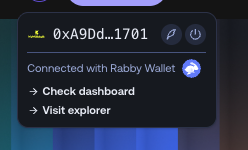
Access to private campaigns params and details is secured through wallet signature authentication. Users must sign a message with their wallet to generate a JWT (JSON Web Token) session, which authenticates them on the frontend and grants access to view private campaign details on the opportunity page.
Frontend Integration: The JWT-based authentication structure allows private campaigns to be integrated into any frontend, not just the Merkl app. If you're building a custom UI on top of Merkl for private payments or airdrops, please contact us to discuss integration details.
Managing Access
Authorized addresses with canManageAccess: true can grant or revoke viewing access for additional addresses. The campaign creator always has full management privileges. This hierarchical permission model enables collaborative management while maintaining creator control.
Recipients View
When recipientsCanView is set to false, recipients see "Private campaigns" in their User Dashboard and can claim rewards without viewing campaign details or the reason for their allocation.

Fees
Private campaigns follow the same fee model as standard Merkl campaigns. Transfer campaigns are currently free on Merkl.
Best Practices
- Use Multisig Carefully: If you're creating a private campaign from a multisig wallet, you MUST add other authorized addresses to the
authorizedAddressesarray. Multisig wallets cannot directly sign authentication messages, so individual signer addresses need to be added as authorized viewers. - Round Amounts: Use round amounts (e.g., 1,000 or 10,000) for transfers. Unique amounts like 846.37 tokens make it easier to correlate deposits with claims. Round numbers blend better within Merkl's transaction volume.
- Consider Recipients: Decide whether recipients should see their allocations based on your privacy requirements